LoungePair makes it easy to gift airport lounge access to friends, family, or colleagues. You have two options: purchase a gift card for flexible use, or buy a specific lounge pass and share it directly.
| Gift Card | Specific Lounge Pass |
|---|---|
| Recipient chooses their lounge | You choose the lounge for them |
| Valid at any LoungePair lounge | Valid at one specific lounge |
| Best for: Unknown travel plans | Best for: Known travel plans |
Purchasing a Gift Card
Requirements: You must be logged in to a LoungePair account to purchase gift cards. If you do not have an account, please create one here first.
Steps to Purchase
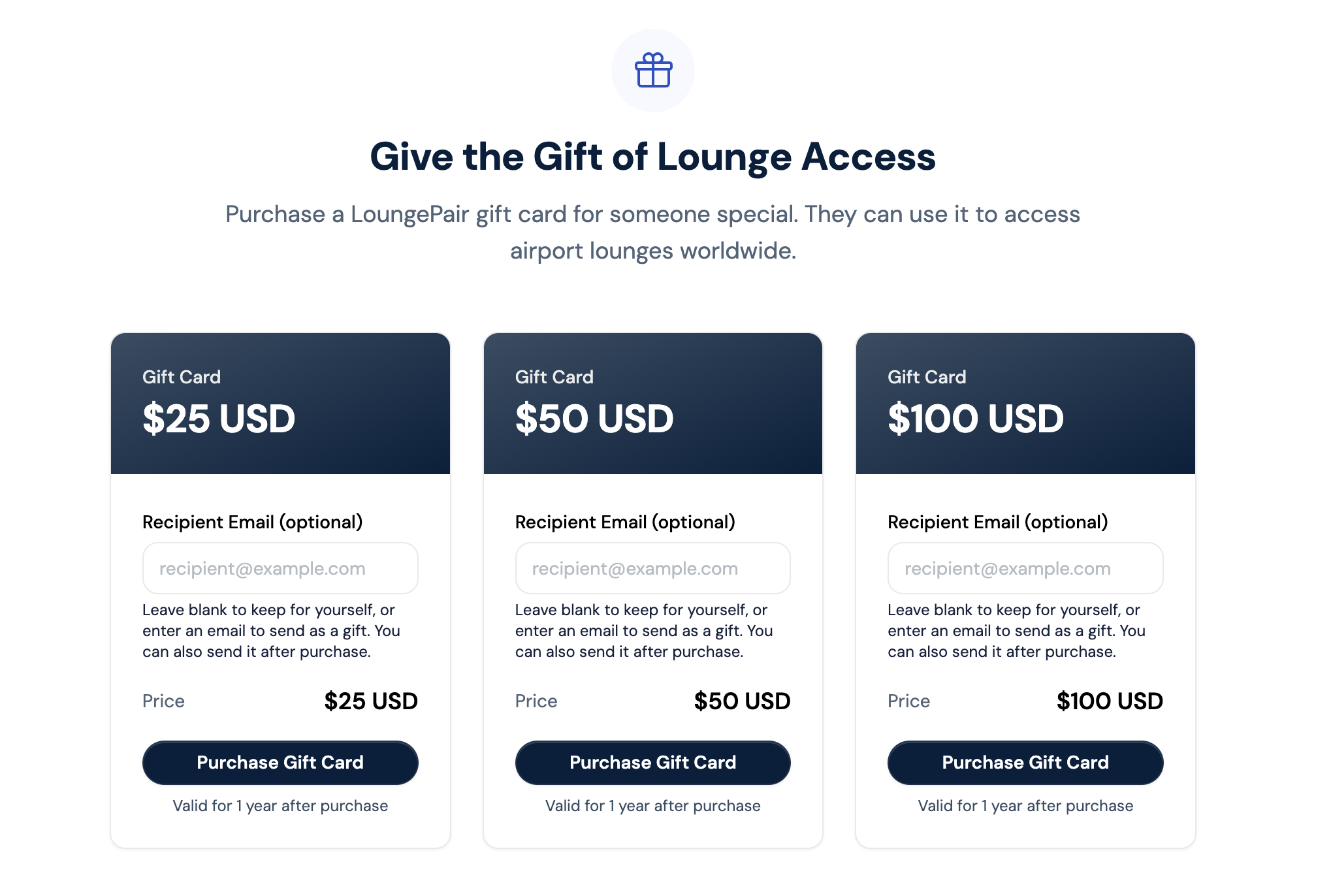
- Go to www.loungepair.com/gift-cards
- Select your preferred gift card value from the available options
- Recipient Email (optional): Enter the recipient's email to send the gift card directly, or leave blank to send it later from your account
- Click Purchase Gift Card
- Complete payment
Gift Card Details
- Validity: 1 year from purchase date
- Refunds: Gift cards are non-refundable
- Usage: Can be applied at checkout on www.loungepair.com only (not at lounges directly)
- Balance: Remaining balance stays on the gift card for future use
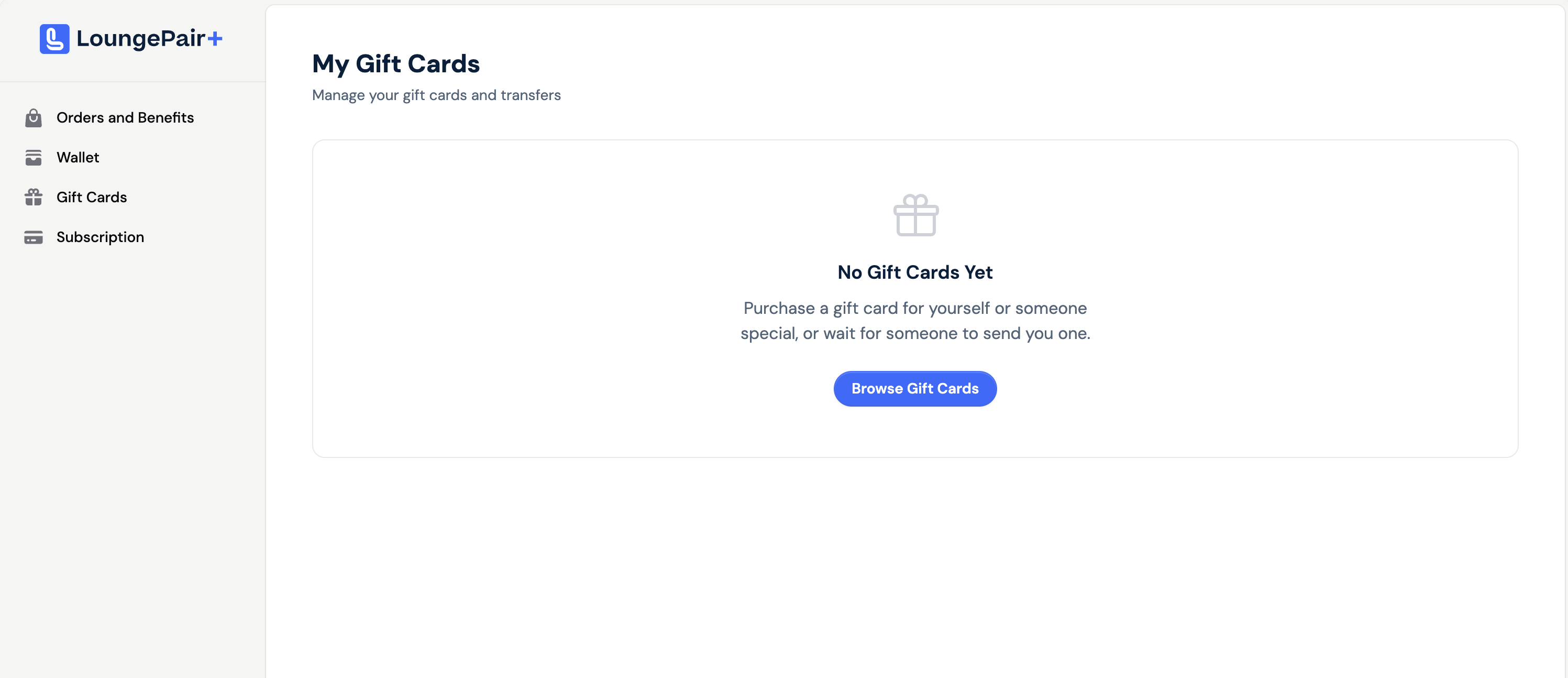
Purchased gift cards can be found in your account and for the final recipient under "Gift Cards" on the left-side menu, as shown below. This is also where you can transfer your gift card if you did not enter an email at time of purchase:
Purchasing a Lounge Pass for Someone Else
You can book a lounge pass using your own payment method and assign it to anyone. The pass holder's name on the pass itself is what matters for lounge entry—it doesn't need to match your LoungePair account.
Steps to Purchase
- Search for a lounge at the traveller's departure airport
- Select preferred payment currency and number of guests, and choose whether to make the pass refundable (recommended if the guest's travel plans may change)
- Click Proceed to Checkout
- Enter your email into the Booking Email field
- Click Continue to Payment
- Complete payment with your credit card
- Add the traveller's name to the pass (or you can leave this for them to do, especially if there is more than one pass for other travelling companions)
- Share the order with the traveller (see below)
Sharing a Lounge Pass
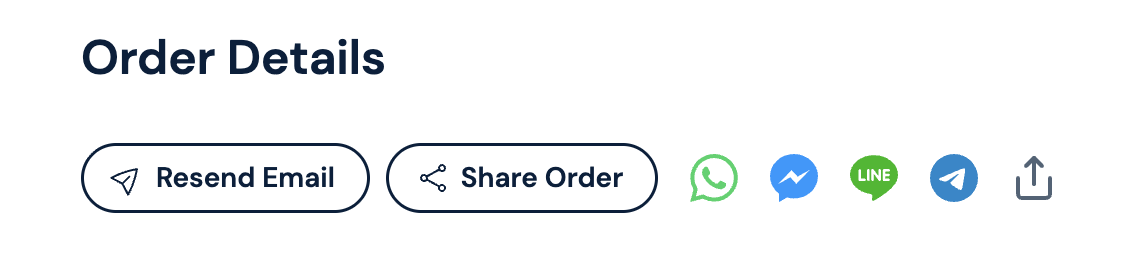
After purchasing, you'll see your booking on the Order Details page. Use these options to share the pass with the traveller:
Option A: Share Order
Gives someone full access to view the booking and make changes.
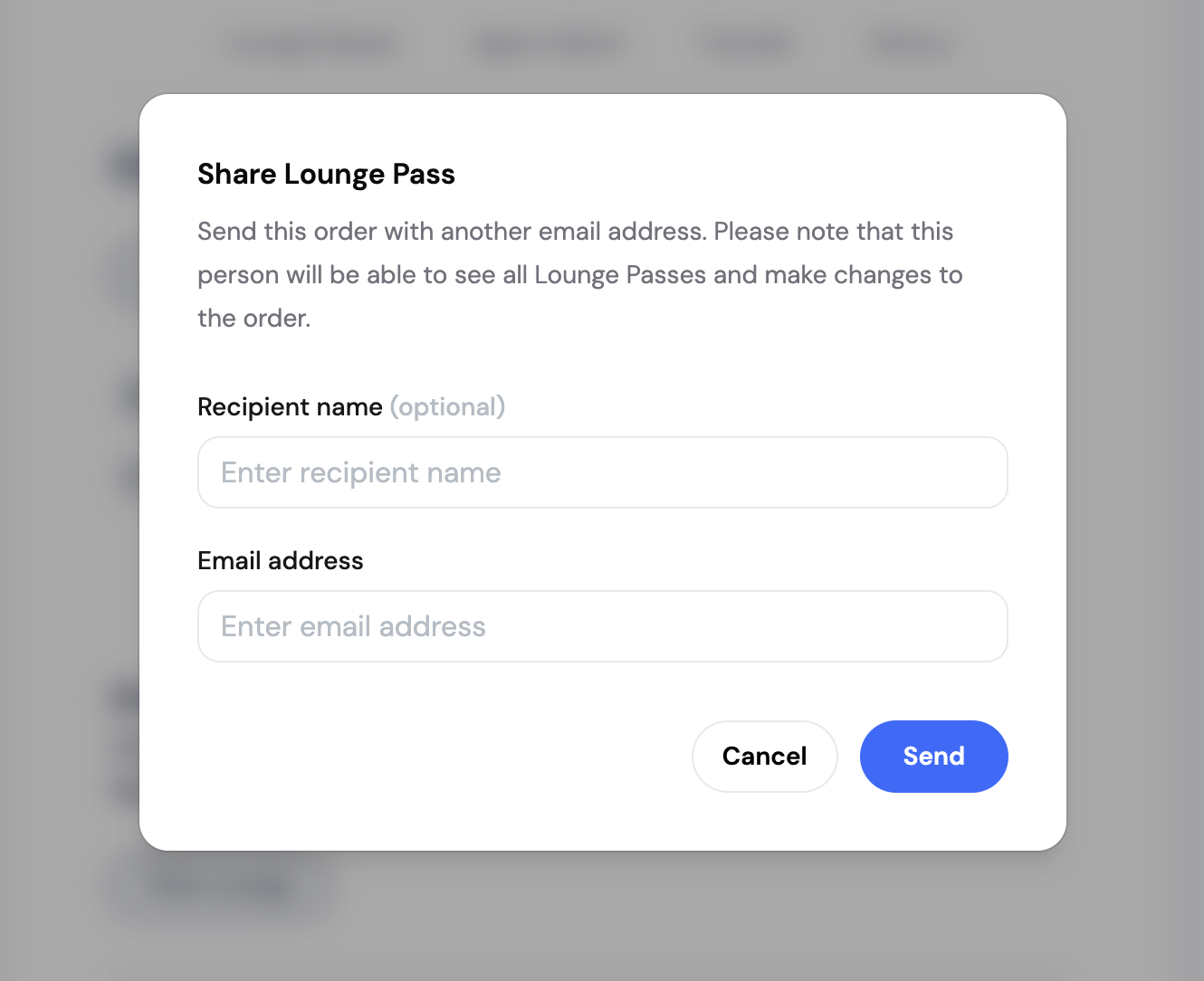
- Click Share Order
- Enter the recipient's name and email
- Click Send
Note: Sharing the order gives the recipient access to view all passes in the order and make changes, including adding or changing the name on a pass.
Option B: Share via Messaging Apps
Quickly share the pass link through popular messaging platforms:
- Messenger
- LINE
- Telegram
Click the app icon to open it with the pass link ready to send.
Option C: Device Share Menu
Click the share icon to open your device's native share options (AirDrop, Messages, Notes, etc.).
What the Recipient Receives
When you share a lounge pass, the recipient gets:
- Lounge name and location (terminal, directions)
- Opening hours
- Booking date and time
- QR code or entry confirmation
- Instructions for lounge access
The traveller does not need a LoungePair account to access the lounge. They simply present their booking confirmation at lounge reception.
Frequently Asked Questions
Can I buy a gift card without an account?
No, you need to be logged in to a LoungePair account to purchase gift cards. Creating an account is free.
Can the recipient use a gift card at any lounge?
Yes, gift cards can be redeemed at any of our 1,400+ partner lounges worldwide—but only through the LoungePair website, not directly at the lounge.
Does the traveller need a LoungePair account?
For a gifted pass: No. For using a gift card: Yes, they'll need to create a free account to buy their lounge pass.
What if the pass holder's name is misspelled?
No problem, this can be updated either by yourself or the final pass holder on the order screen.
Can I cancel a gifted pass?
Passes can be cancelled according to our standard cancellation policy in our terms of use. Refunds go to the original payment method.
Need Help?
Contact our support team at support@loungepair.com for assistance with gift cards or sharing lounge passes.
Was this article helpful?
That’s Great!
Thank you for your feedback
Sorry! We couldn't be helpful
Thank you for your feedback
Feedback sent
We appreciate your effort and will try to fix the article